
A conflict looks far less mysterious as we stop thinking about Git as a collection of verbs and we start to see it as an system of objects, snapshots and references. The same goes for an unexpected reset, a commit that should be divided into two or a branch that continues to aim at an earlier version. The useful question isn’t “what command does Git fix?” but “what status do I want to change and what do I have to preserve?”
The thesis of this article is that to work with Git with certainty means to identify the limit of each operation. Interfaces such as Lazygit or tig can make these changes visible but none substitutes understanding the index and the references that it modifies below. The examples are put forward for laboratory repositories and do not describe operations about the blog repository or about other jobs.
The official Git documentation and Pro Git are the main reference. For the context of versions of the dossier, Git 2.56.1 was the documented stable release, and the principles of objects and refs do not depend on memorizing that number. From Git 2.51, git switch and git restore stopped bearing the warning of experimental commands, according to release notes.
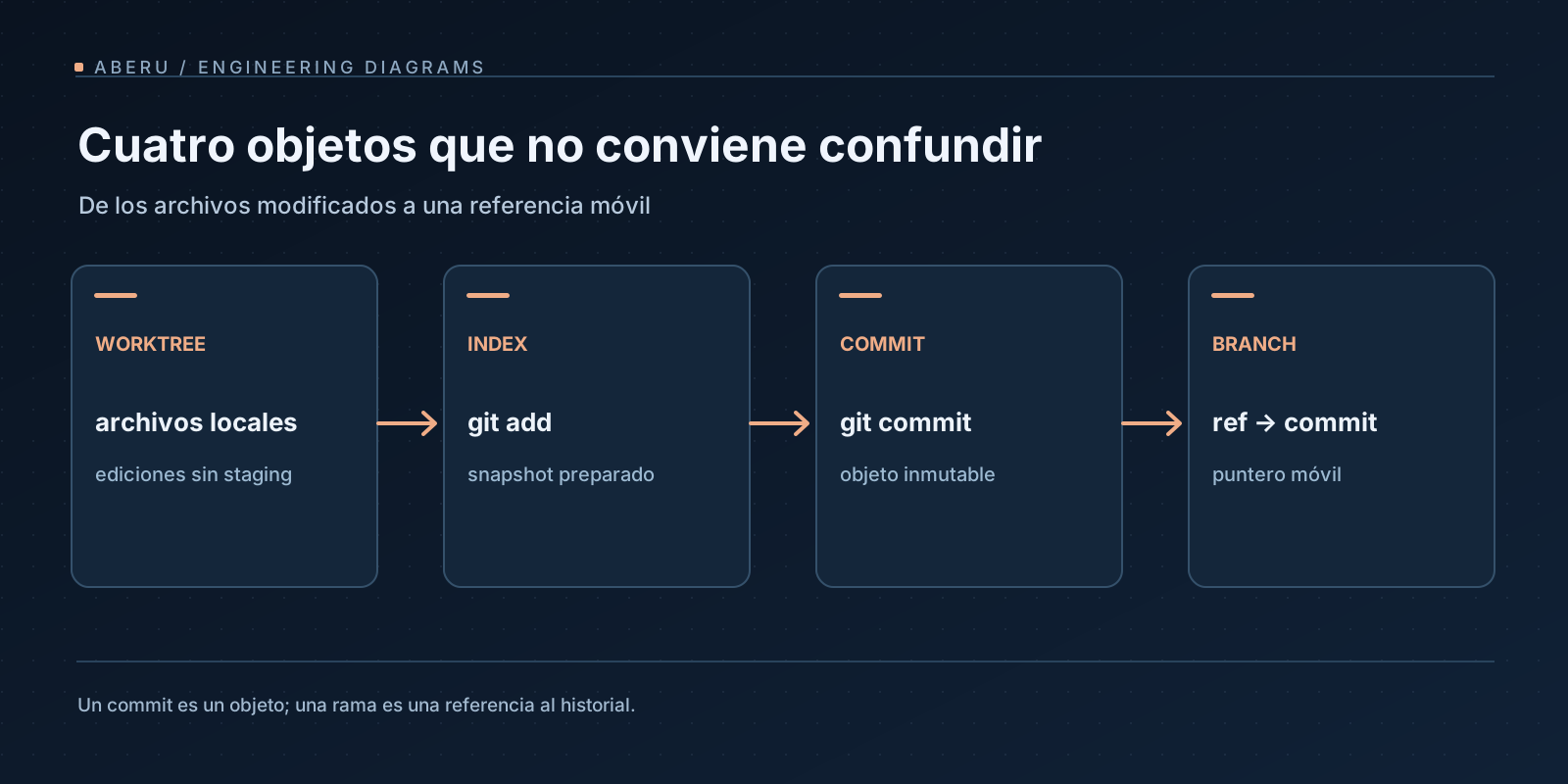
Five states that should not be mixed
Imagine that the main branch points to the C commit. Your file tree is a versed snapshot. When you edit a file, you have never automatically changed the C and branch: you have changed the working tree. When you add content for the next commit, you update the index or * stacking area *. When confirmed, Git creates objects and moves the reference of the active branch.
| Element | Meaning | Question answering |
|---|---|---|
| Working tree | Files as they are in the work directory | What have I got on disc right now? |
| Index | Prepared version of the archives for the next commit | What exactly will the commit include? |
HEAD | Reference to the current working position, normally a branch | What have I been working for? |
| Branch / ref | Name that points to a commit and can advance | What point of the graph indicates this line of work? |
| Git objects | Commits, Trees and Blobs Stored for their Content Identity | What snapshots and history have the repository? |
A git add updates the index; no is synonymous with creating a commitment. A git commit writes a new snapshot and moves the reference associated with HEAD. And git switch changes his branch’s context without asking you to rebuild his track record. You can inspect these differences without risk in a practice repository:
# Ejecutar en un directorio nuevo dedicado al laboratorio.
git init -b main laboratorio-git
cd laboratorio-git
printf 'puerto=8000\nmodo=dev\n' > app.conf
git add app.conf
git -c user.name='Ejemplo' -c user.email='ejemplo@example.invalid' commit -m 'Agregar configuración inicial'

git status --short
git log --oneline --decorate -3
git ls-files --stage
The concrete result - hashes, tipprints and commit’s identity - depends on the environment and has not been invented as a fixed output. git ls-files --stage allows you to observe the representation of the index and git log indicates where the refs point. These data are more useful than memorizing “undo” recipes.
A commit should be a decision, not just a saving point.
Suppose you edit a validation and an error message in the same file. If these changes have different challenges, they are likely to have to be reviewed separately. git add -p allows select fragments of a diff for the index. A visual alternative is stacking by * hunks * or Lazygit lines as described in the repositorio del proyecto.
At the previous lab, try a change with two independent groups:
printf 'puerto=8080\nmodo=dev\n' > app.conf
printf 'descripcion=entorno de prueba\n' >> app.conf
git diff -- app.conf
git add -p app.conf
git diff --cached -- app.conf
git diff -- app.conf
The interactive sequence depends on what * hunks * detects Git and too close changes can be grouped and required to divide them from the selector. The aim is to check that git diff --cached represents exactly the propose commitment. The interface doesn’t decide the logical unit of change: whoever checks yes.
That practice also reduces the risk of incorporating temporary files or sensitive local settings. Before posting, git status, git diff --cached and the review of secrets are part of an explicit monitoring, and not an optional ritual.
Merge and exceeded answer different questions
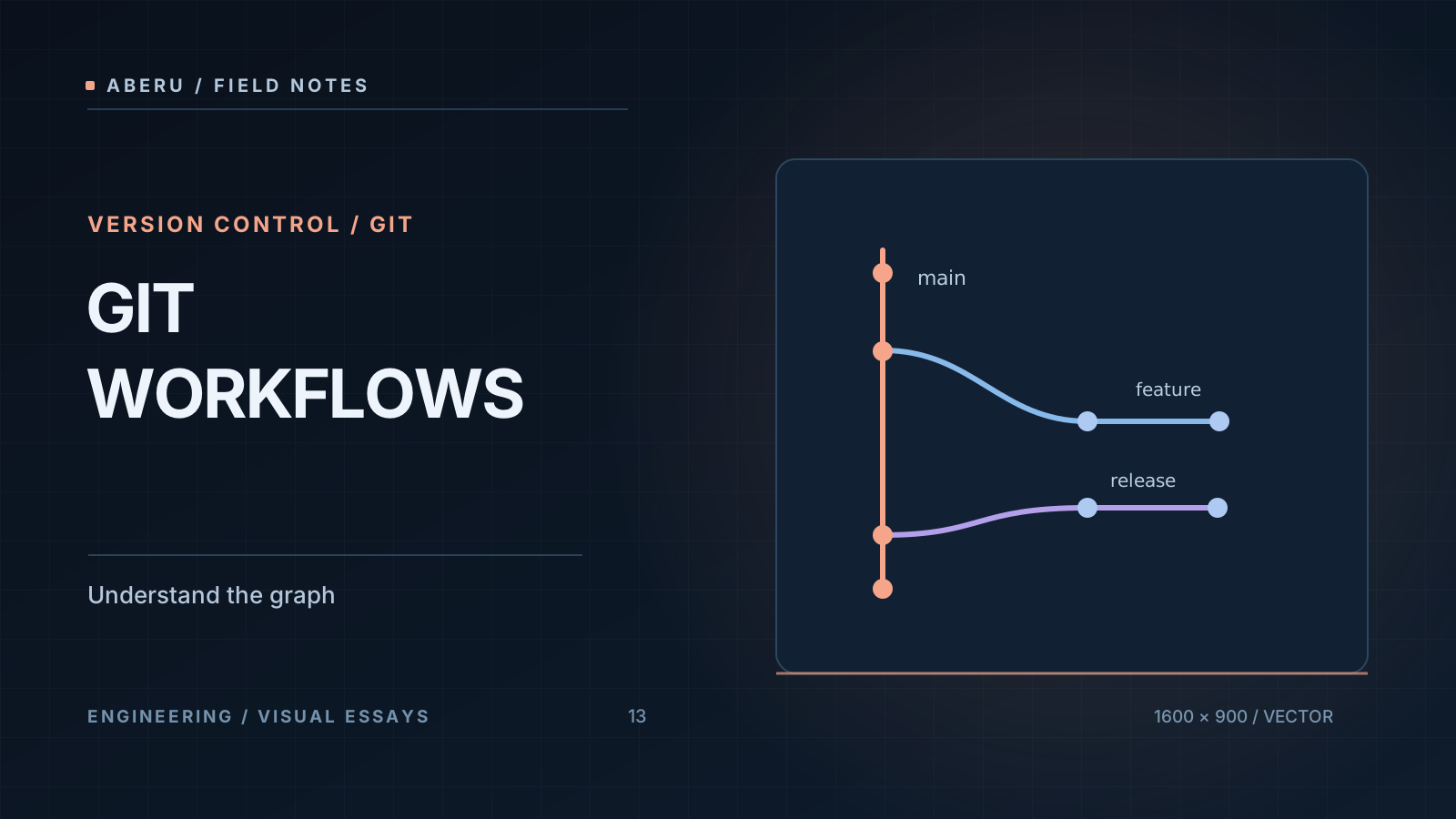
When two branches advance from a common ancestor, merge creates a history union without altering the original commitments of both branches. When necessary, that union takes the form of a new commit with multiple parents. Rebase Reconstruct commits on a different basis and generate new identities for rewritten commits.
No universal winner. Merge clearly preserves the history of integrating work lines. Rebase can simplify a local series before sharing, at the expense of changing identities. The right policy depends on collaboration, audit, ease of review and restrictions of the repository. The explicación de branching y merging de Pro Git describes the three points involved in a merge.
Conflict doesn’t mean that Git lost the changes: means that she cannot automatically decide how to reconcile incompatible modifications. During a resolution, it is appropriate to inspect which file, what base and what versions are involved, git status indicates the status of integration and git diff shows the content to be solved. The semantic decision - what conduct is right - remains with the developer.
Rewrite before posting and revert after posting
A git rebase -i allows us to reorder or merge our own commitments before other people depend on them. It should not be submitted as an automatic operation on a shared branch: rewrite hashes and break external references to earlier commitments.
For an earlier published error, git revert <commit> is often more appropriate: it creates a new commitment that challenges the previous patch and retains the historic fact that this change existed. git reset changes reference and, depending on --soft, --mixed or --hard, also index or working tree. That difference was crucial: using an option that ruled out changes without an inspection can remove unconfirmed work.
Before any operation with potential loss, a clear tree should be available, diff inspected and a recovery reference should be recorded at the appropriate repository. The force push as an automatic result of override is not recommended and depends on who consumes the branch, its protections and equipment policy. The documentación de git reset details what part of the state changes with each mode.
Highlight: A local map of references, not a remote backup
Git keeps local records of recent reference movements: refloks. There earlier positions of HEAD or a branch can be found, even if the visible graph no longer presents them as an actual tip. That’s why, after an unexpected movement, it’s usually better to inspect than to conduct another corrective action at blind:
git status
git reflog --date=iso
git show HEAD@{1}
The reference HEAD@{1} means the earlier entry of HEAD ** Repository Repository and does not universally identify “the last good commit.” First check the observed hash and snapshot. The refloks are local, have expiry policies and do not replace a remote, backup and file recovery that Git never registered. Check with manual git-reflog.
That’s the starting point for a responsible recovery: to observe inputs, to verify the desired object, to create a recoverable reference and only after deciding whether to move a branch. The order protects against “repairing” the wrong problem.
Bisect: To locate a change with a verifiable hypothesis
When a test worked at one commit and fails at another, revising the whole line-to-line history may be unnecessary. git bisect guides a search between known states, normally reducing the number of candidates per half.
To use them correctly you need at least a good and bad and a way to classify an intermediate commit. In a laboratory clone or worktree:
# Primero identificar hashes reales mediante git log.
git log --oneline --max-count=12
# Ejemplo conceptual: reemplazar por hashes verificados en el repositorio.
git bisect start "$BAD_COMMIT" "$GOOD_COMMIT"
# Evaluar la prueba en cada checkout intermedio.
# git bisect good    # si la prueba pasa
# git bisect bad     # si la prueba falla
# Al terminar: git bisect reset
Lines with placeholders aren’t ready commands to stick: represent a lab template. bisect is powerful when the test is stable and the performance environment controls dependencies; an intermittent test can produce a false conclusion. As with any diagnosis tool, the validity of observation matters as much as the algorithm. The manual de git bisect includes automated variants with a script that returns success / failure states.
Worktrees: isolate contexts without doubling the whole story
git worktree creates additional work directories associated with the same repository, each with its own branch / HEAD, working tree and index. It’s appropriate when you have to keep an assignment open while trying a bugfix, check an PR or let a tool modify code without mixing its diff with yours.
Building from an existing repository and with a free brother directory:
git worktree list
git worktree add -b revision/bug ../revision-bug HEAD
git worktree list
The order creates an example branch and a new directory. To remove a worktree, first check that it contains no work to preserve; the documentación de git worktree explain the blocked states and disposal rules. A separate worktree retains risks if both processes use the same secrets, external dependencies or network access.
In a flow with IA agents, that distinction will be particularly important: an agent may have his or her own worktree but still require permission limits, a diff review and an acceptance policy. Git’s an audible record.
Lazygit and tig: two interfaces about the same model
Lazygit prioritizes interactive operations: stacking, commitments, change review, cherry-pick and rebase. His guía de interactive rebase document these transformations. The v0.66.3, del 7 de noviembre de 2026 release was verified in the research but a combination of IU keys should not be taught without checking the reader’s version.
tig approaches more to the role of browser or pager: history, diff, blame, refloks and status exploration. He can support stacking operations but his editorial emphasis isn’t that of a rewrite dashboard. Both run or represent operations about Git: do not introduce a new semantics of commitments. The criterion of choice may be if the inspection or * frequent handling of changes ** predominates, with an imaginary sign of velocity.
A good understanding test is to run a small action from a TUI and to immediately contrast the result with git status, git diff --cached and git log --decorate. If the change cannot be explained from these views, the interface is currently hiding an important part of the mental model.
Integrity, signatures and automation
Local and CI hooks are useful to prevent regular mistakes but have to be treated as quality checks with different ranges. A hook may be absent from another collaborator’s equipment and an CI check’s usually more consistent as long as it’s set up and run on his server.
A compact cryptographic signature, using GPG or SSH set up in Git, is different from the Signed-off-by trailer: the latter record a semantic statement and does not itself provide a cryptographic test. The referencia de git commit document both options. No sign shows that the code is correct or secure and only allows evaluating authority / integrity attributes according to established confidence chain.
The technical discipline will be summed up into three questions before sharing changes: what goes into the snapshot?, what story remains or rewrites?, who will be able to interpret and get back the operation after? The response determines whether a merge, a revised series, a revent or a temporary worktree should be appropriate.
Conclusion: make visible what a hidden interface
Git scale personal tool to collaboration protocol when the computer understands its status model. The operations stop being tricks: stacking selects a snapshot, merge une historiales, rebase rewrites, reflog helps to investigate previous positions, bisect reduces hypotheses and jobs separate contexts. The safety of the workflow depends on knowing which of these boundaries are crossing, not using more commands or more plugins.
The next natural step is applying that traceability to systems that make changes for us. The engineering with IA agents requires the same care with diffs, revisions, tests and recovery. Those practices will be at the core of the article dedicated to Jcode and other coding agents once published.


