
A compilation takes several minutes on a remote server. The SSH connection cuts and the terminal window disappears. Is the process still under way? The response depends on who keeps the terminal and what’s the life cycle of the process, and not if the graphic window remains open.
In a shell directly linked to a remote session, a shortcut can affect the process and its controller terminal. A program with tmux interacts with another program: a server that keeps sessions, windows and loaves even as the visual client goes off. That model’s the reason to use tmux and memorize shortcuts come later.
The reference research uses tmux 3.8, launched in September 2026. Their new characteristics, including * floating loaves *, should not be extrapolated to old installations. Documentary operations and educational examples are described here and production sessions and remote performance of evidence are not attributed to the complainant.
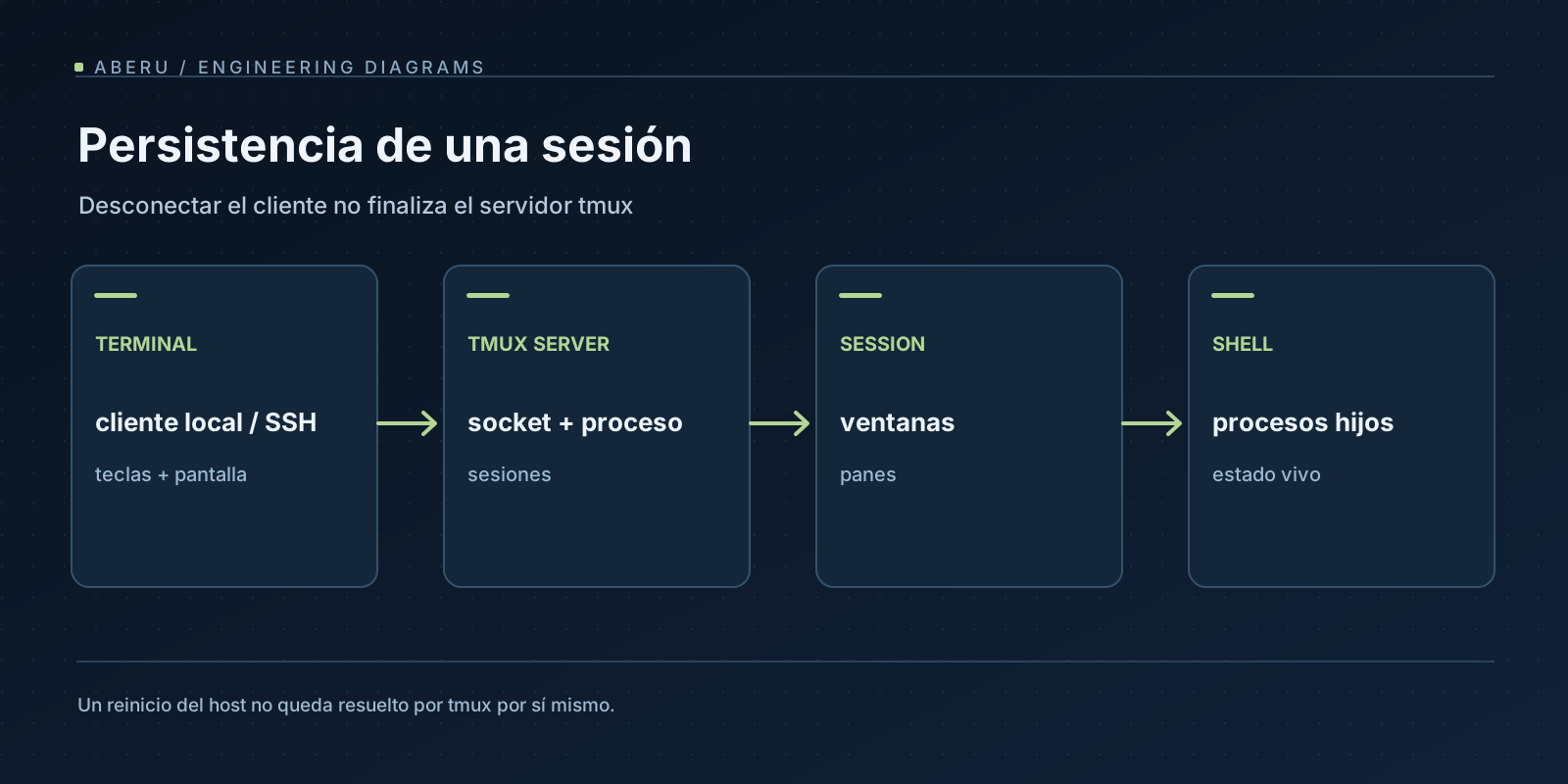
Architecture: The server owns sessions
client, * server **, * session **, * window and * pane perform different functions. The user interacts with a tmux client from an emulator. That client is connected by a Unix socket to the tmux server, which manages sessions. Each session contains windows, each window organizes one or more loaves and each pane contains a terminal associated with a program such as Zsh, Neovim or a long-term process.
That’s why closing a * client * doesn’t mean closing the * server *. If the session remains and processes are still alive, you can connect another client to the same session. It’s also possible to observe the same session from several customers, but Layout sizes and behaviour require attention. The manual de tmux and wiki oficial document the model.
That distinction is often confused with Neovim’s internal buffers and windows. At Neovim, two windows can have the same buffer and at tmux, two loaves usually contain independent terminal processes. Dividing the screen doesn’t mean sharing the editor’s status. The article dedicated to Neovim works with that model from an editor’s point of view.
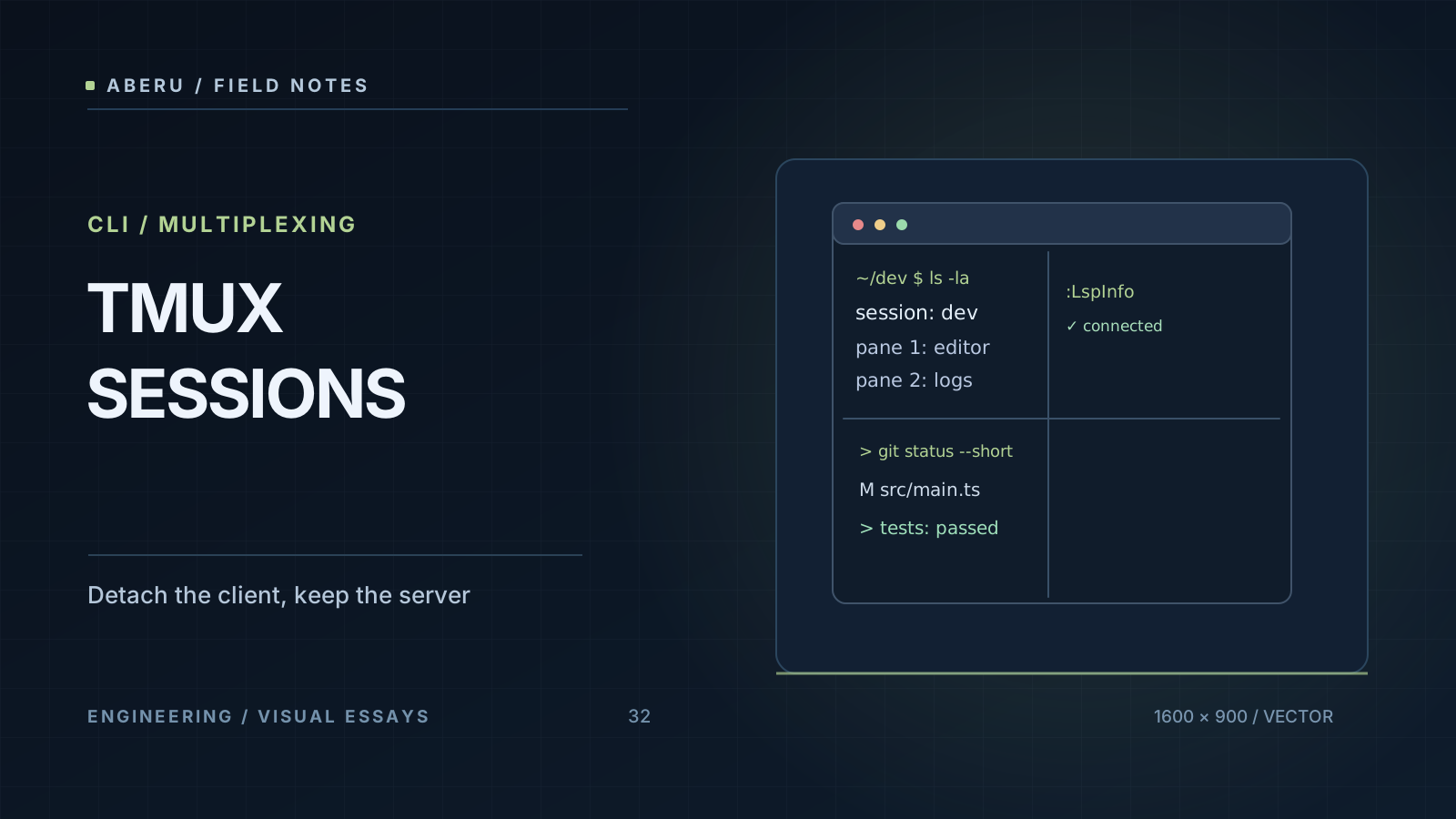
A life cycle that can be inspected
The minimum set of commands allows to check conduct without plugins:
# Crear una nueva sesión con nombre reconocible.
tmux new-session -s proyecto

# Dentro de tmux: Ctrl-b seguido de d para desconectar el cliente.

# Desde una shell fuera de tmux:
tmux list-sessions
tmux attach-session -t proyecto

# Detener explícitamente una sesión que ya no se necesita:
tmux kill-session -t proyecto
Ctrl-b is the default prefix, not a universal combination that all users retain. Following the prefix, d requests * detach *: disconnect the client and leave the server with the session. list-sessions shows observable status while kill-session ends the selected session and affects its loaves and processes. Do not run the last command in a session with tasks that have to be completed.
To organize interactive work without closing processes:
| Action | Tmux command | Effect |
|---|---|---|
| Create Window | new-window -n tests | Other terminal within same session |
| Divide horizontally into two loaves | split-window -h | Creates loaves from place to place |
| Divide vertically | split-window -v | Creates steamed loaves |
| View windows and loaves | list-windows, list-panes | Inspection of actual structure |
| Change pane | select-pane -L | Move the focus without moving the process |
These subcommands run as tmux <comando> from the shell or from the command line of tmux with Ctrl-b :. Horizontal and vertical meanings are usually confused with the direction of the dividing line: check what Layout production every option in your installed version. The structure isn’t a mere décor. It determines what program the keyboard receives and what output is preserved in each pane’s history.
Detach, disconnect, reboot and restoration aren’t synonymous
There are at least four different situations:
- Detach voluntary. The client leaves the session and the server continues to run and its loaves do not start again.
- ** Customer loss or SSH. ♪ ♪ If the remote tmux server and its processes are still healthy, another connection can be re-attached. No survival from all host errors, signs or management policies are guaranteed.
- Termination of tmux server. The session bin and associated programs can be completed. A new server does not recover memory or previous PDIs.
- Reboot of host. Session and earlier living processes are missing. Rebuilding requires different mechanisms from a simple
attach.
tmux-resurrect can serialise session names, windows, breads, directories and some commands for later reconstruction. tmux-continuum automates saving and restoration actions as set up. None converts an earlier process into the same living process after re-initiating a machine: do not preserve pics, open connections, program memory and internal status of a database. The restoration support also depends on the process, plugin and environment.
A * swap * recovery editor and a re-initiated trial run are visually similar to the previous session but that similarity does not prove continuity of the process. For critical tasks, the right mechanism can be a service monitored by systemd, a tail job, or a process designed for checkpoint / retry with persistent login and bug management. tmux serves as persistent human interaction, does not replace a service supervisor.
SSH: where tmux runs matters
If you run tmux before to open SSH, the tmux session lives on your local machine and its pune contains an SSH client. By losing remote connection, that pune doesn’t magically maintain server processes. If you open SSH ** first * and create tmux in the remote host, it’s the remote tmux server that can hold the session after disconnect.
A regular pattern to re-connect to an already configured host is:
# Ejemplo ilustrativo. Requiere tmux instalado en el servidor remoto.
ssh -t usuario@servidor.example 'tmux new-session -A -s proyecto'
new-session -A enclose an existing session with that name when you find it, otherwise create a new one. -t requests pTY assignment for remote interaction. The domain and user are fictitious and the example does not prove connectivity and does not allow to run sensitive jobs at an unadministered host.
That recipe should not be used without considering access policies: a persistent session can contain variables, history or sensitive results. It protects SSH access, user permits and tmux socket. If several people require collaboration, explicitly design how they share permits and what data they can observe and do not turn a system-wide socket into a default comfort.
3 layers of compatibility: emulator, tmux and application
There are problems that are not about tmux or Neovim separately but about the complete path of capabilities.
TERM and term
The value of TERM describes the interface an application should use, not an aesthetic preference. Without tmux, an emulator can declare xterm-256color, foot or some equivalent value. Inside tmux, it’s normal to display tmux-256color if the corresponding terminf base exists in the system that runs applications.
printf 'TERM=%s\n' "$TERM"
infocmp "$TERM" >/dev/null && printf 'Terminfo disponible\n'
tmux -V
If a remote machine doesn’t know tmux-256color, tools can lose capabilities or display errors. No solutions by assigning arbitrary values to TERM: first check the end base at the machine where you run program, actual value announced and tmux settings. Terminal names serve as contracts between layers.
RGB color
An application can generate RGB color sequences and, even so, see degraded colors if tmux doesn’t know or transmit an emulator’s capacity. The terminal-features and terminal-overrides options are used to describe capabilities, but a copied configuration that holds Universal RGB can fail by changing terminal, SSH or tmux version. Use the FAQ del wiki to validate the specific case rather than assume that COLORTERM=truecolor resolves the whole string.
Clipboard and OSC 52
At terminals with no direct access to a graphic clipboard, OSC 52 allows you to request an emulator to copies text. tmux has policies like set-clipboard and needs the terminal to support and interpret those sequences. The option of enabling apps to tiup the clipboard may also have security implications: an unreliable remote application could try to write onto it. Decide politics according to the border of confidence and prove with the actual emulator.
The documentación oficial sobre clipboard explain the details of Ms, OSC 52 and compatibility. A session that looks good at SSH doesn’t mean that copying the local computer’s clipboard will work right away.
Images and TUIs
Yazi and other TUI applications can use specific imaging protocols, including Sixel and Kitty Graphics. The emuler and tmux have to recognize and transmit the concrete form of data and even with passthurgh support, compilations and versions can restrict functionality. It should not be assumed that a preview that works out of tmux works identical inside. The documentación de previews de Yazi is a good check point.
Inherited environment and SSH agents
When starting tmux, the server retains an environment that may differ from the later shelling environment. By connecting a new session, variables as SSH_AUTH_SOCK can aim at an old or unwanted socket. tmux offers an environment upgrade mechanism for some variables and the exact effect depends on the configuration and timing of an attack. It’s not advisable to stick agent values or credentials into the configuration file to “fix” a session.
A minimum diagnosis compares the variable’s value to a newly connected shell and an existing pane, checks the status of tmux show-environment and decides what variables the flow really needs. Don’t forget that editing a configuration file doesn’t necessarily change all processes that are already running.
When’s the right tool?
- For interactive remote development: Keep a session and get back attached after you have been disconnected.
- To organize local tasks: editor, tests and logs at independent terminals with a server that keeps its loaves.
- For critical automation: No as the only enforcement guarantee, a monitoring or task system with persistent registration and specific recovery should be required.
The advantage of tmux isn’t to preserve any state of the world. Resist in making explicit the border between visual client and processes that continue to live on a tmux server. Learning that limit prevents “total recovery” promises that no Multiplexer can fulfill by itself.
This model is complemented with the block’s articles about Neovim - editing and protocols - and about terminals, Zsh, Fzf, Atuin and Yazi - the range of capabilities and tools. Their cross-links will be incorporated as inputs pass into the published collection.
Main references
- tmux: release 3.8 and manual.
- Wiki oficial, FAQ and clipboard.
tmux-resurrectandtmux-continuum: Recovery and automation limits.- Yazi: protocolos de vista previa.


